
How to Declutter Your Digital Life for a Clearer Mind
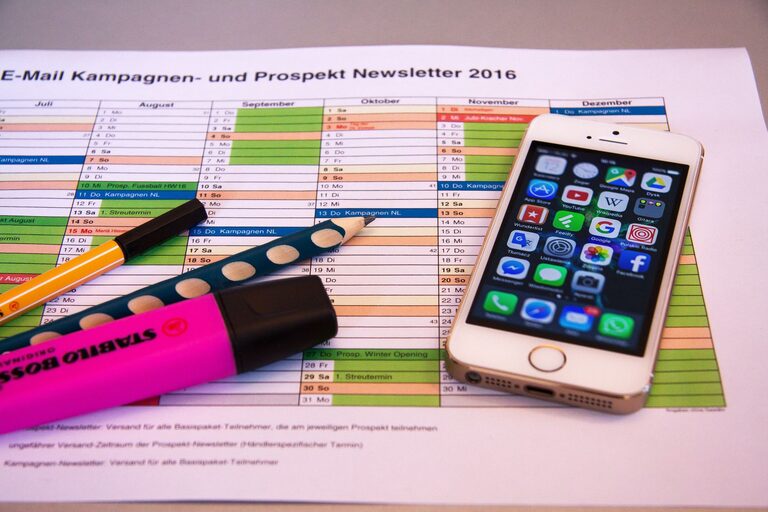
In today’s world, our digital devices often become cluttered with files, apps, emails, and notifications, creating unnecessary stress and distraction. Just like tidying a physical space, decluttering your digital life can boost your focus, improve productivity, and give you a clearer mental space. If you’re ready to regain control over your digital world, here’s a practical, step-by-step guide to help you get started.
Why Decluttering Your Digital Life Matters
Digital clutter can slow down your devices, make it harder to find important information, and lead to feeling overwhelmed. Clearing out unnecessary data and organizing your technology not only improves performance but also helps reduce anxiety caused by constant notifications and messiness. With intentional effort, you can create a calmer, more efficient digital environment.
Step 1: Assess Your Digital Habits
Before diving in, take a moment to reflect on how you use your digital devices:
– Which apps do you use daily?
– Are there files or emails you haven’t opened in months?
– What notifications constantly distract you?
Answering these questions helps you identify what’s essential and what’s taking up space unnecessarily.
Step 2: Clean Up Your Files and Folders
Organize Documents and Photos
Your computer and cloud storage may be filled with duplicate files, old documents, and countless photos. Here’s how to sort through them efficiently:
– Delete duplicates: Use tools or manually remove copies.
– Create folders: Organize by category, project, or date.
– Archive old files: Move rarely accessed files to an external drive or long-term cloud storage.
– Backup: Regularly save important data to prevent loss.
Clear Downloads and Desktop
Downloads and desktop folders tend to accumulate clutter quickly. Schedule time weekly or monthly to:
– Move files to proper folders.
– Delete unnecessary files.
– Keep your desktop clean for easier access to important items.
Step 3: Declutter Your Email Inbox
Email inboxes can become overwhelming if left unmanaged. To regain control:
– Unsubscribe from newsletters and mailing lists you no longer read.
– Create folders or labels for organizing emails by topic or priority.
– Use filters or rules to automatically sort incoming mail.
– Archive or delete old messages in batches.
– Consider using tools that help clean inboxes by identifying spam or promotional emails.
Step 4: Evaluate and Manage Apps and Software
Too many apps can cause distraction and slow down your devices. Take these steps:
– Review all installed apps on your phone, tablet, and computer.
– Delete apps you haven’t used in the last three months.
– Group frequently used apps into folders or the home screen for easier access.
– Update apps regularly to maintain security and performance.
– Limit app notifications to only the essential ones to minimize interruptions.
Step 5: Simplify Your Browser
Web browsers often collect numerous open tabs, bookmarks, and saved passwords, which can be overwhelming.
– Close unnecessary tabs regularly.
– Organize bookmarks into folders and delete outdated links.
– Use browser extensions sparingly to avoid excessive memory use.
– Clear cache and cookies periodically to improve browsing speed.
– Manage saved passwords carefully, using a trusted password manager if needed.
Step 6: Manage Digital Subscriptions and Accounts
Many of us sign up for services and forget about them. Keeping track helps prevent unnecessary expenses and clutter.
– List all your digital subscriptions (streaming, apps, services).
– Cancel any you no longer use.
– Check for duplicate accounts or old profiles and delete those you don’t need.
– Update passwords and recovery options for active accounts to enhance security.
Step 7: Set Up Regular Digital Decluttering Habits
Maintaining a clutter-free digital life requires ongoing effort. Try these habits:
– Schedule a monthly or quarterly digital declutter session.
– Develop a daily 5-10 minute habit of tidying your inbox, desktop, or phone.
– Turn off non-essential notifications to reduce distractions.
– Use tools and apps designed to simplify organization, such as file cleaners or email managers.
Additional Tips for a Healthier Digital Lifestyle
– Practice mindful technology use: Allocate specific times for checking email and social media instead of constant monitoring.
– Use “Do Not Disturb” modes: To focus on work or rest without interruptions.
– Regularly update software: This keeps devices secure and running smoothly.
– Back up data consistently: Automate backups for peace of mind.
Conclusion
Decluttering your digital life is a valuable practice that can enhance your mental clarity, boost productivity, and make digital devices easier to use. By assessing your habits, organizing files, managing apps, and creating regular maintenance routines, you’ll enjoy a more streamlined and stress-free digital experience. Start small, stay consistent, and watch as your digital space becomes a place that supports your daily life rather than complicates it.